
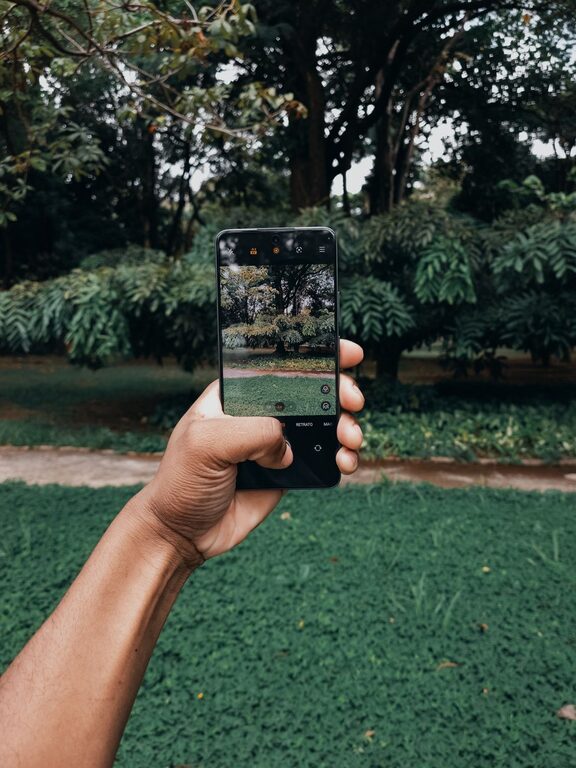
Taking great photos with your phone is easier than you might think. With a few simple tips and some practice, you can enhance your photography skills and start capturing beautiful, clear, and compelling images. Whether you’re photographing landscapes, people, or everyday moments, these beginner tips will help you get the most out of your phone’s camera.
Understand Your Phone Camera
Before diving into photography techniques, familiarize yourself with your phone’s camera features. Most smartphones have several modes and settings that improve photo quality.
– Explore Camera Modes: Try portrait, panorama, night, or pro mode.
– Adjust Focus and Exposure: Tap on the screen to focus and adjust brightness.
– Use Grid Lines: Enable grid lines in settings to apply the rule of thirds for better composition.
Keep Your Lens Clean
A simple but often overlooked tip is to keep your camera lens clean. Dirty lenses cause blurry or hazy photos.
– Gently wipe the lens with a soft, lint-free cloth.
– Avoid using harsh chemicals or abrasive materials.
Pay Attention to Lighting
Lighting plays a crucial role in photography. Natural light is usually the best choice for clear, vibrant images.
– Shoot during the golden hours: early morning or late afternoon for warm, soft light.
– Avoid harsh midday sun to prevent strong shadows and highlights.
– Use shade when shooting portraits to avoid squinting and harsh shadows on faces.
– If indoors, position your subject near a window or light source for natural illumination.
Compose Your Shots Thoughtfully
Composition can take a photo from ordinary to eye-catching. Here are some simple rules and ideas.
Use the Rule of Thirds
Imagine your screen divided into a 3×3 grid. Place key elements along these lines or at their intersections to create balanced, interesting images.
Look for Leading Lines
Lines like roads, fences, or rivers can guide the viewer’s eye into the photo, adding depth and interest.
Include Foreground, Middle Ground, and Background
Adding layers to your photo increases depth and makes the scene more engaging.
Frame Your Subject
Use natural frames like windows, trees, or arches to focus attention on your main subject.
Hold Your Phone Steady
Blurry photos often result from shaky hands.
– Hold your phone with both hands.
– Keep your elbows close to your body.
– Lean against a stable surface if possible.
– Use a small tripod or phone stand for extra stability.
Experiment with Angles and Perspectives
Don’t just shoot from eye level. Try different heights and angles for unique and creative photos.
– Get low to the ground for a dramatic look.
– Shoot from above for a bird’s-eye view.
– Capture reflections in water or mirrors for artistic effects.
Use HDR Mode When Needed
HDR (High Dynamic Range) helps balance bright and dark areas in high-contrast scenes.
– Enable HDR when shooting landscapes or scenes with both shadows and sunlight.
– Avoid HDR for moving subjects as it can cause blur.
Avoid Digital Zoom
Digital zoom decreases image quality by cropping and enlarging the photo.
– Instead, move closer to your subject.
– Use optical zoom if your phone supports it.
Edit Your Photos
Editing can enhance your photos without making them look unnatural.
– Use built-in photo editing tools or apps like Snapseed or Lightroom Mobile.
– Adjust brightness, contrast, and saturation lightly.
– Crop to improve composition.
– Avoid over-editing filters to keep your photos natural.
Practice and Have Fun
The best way to improve your phone photography is by practicing regularly.
– Take photos in different lighting and settings.
– Experiment with various subjects and compositions.
– Review your photos to learn what works.
Summary Checklist for Better Phone Photos
– Clean your lens regularly.
– Use natural light and avoid harsh shadows.
– Apply the rule of thirds and thoughtful composition.
– Hold your phone steady or use support.
– Explore angles and perspectives.
– Use HDR for high-contrast scenes.
– Avoid digital zoom.
– Edit photos subtly.
– Practice often.
With these beginner tips, you’ll be well on your way to capturing beautiful phone photos that you’ll love to share. Remember, great photography is about seeing the world creatively and telling stories with your images — your phone is a powerful tool to help you do just that!